How to get IPv6 working with Brsk on TP-Link Deco
We recently moved into a property that had Brsk (full fibre ISP) available and signed up for the 1gbit package. Brsk are happy for you to use your own router but their ipv6 instructions are not very helpful (at least I couldn't it out to start with).
To start, open the Deco app then tap 'More' at the bottom right and finally 'Internet Connection'. Head to the IPv6 tab and enable it.
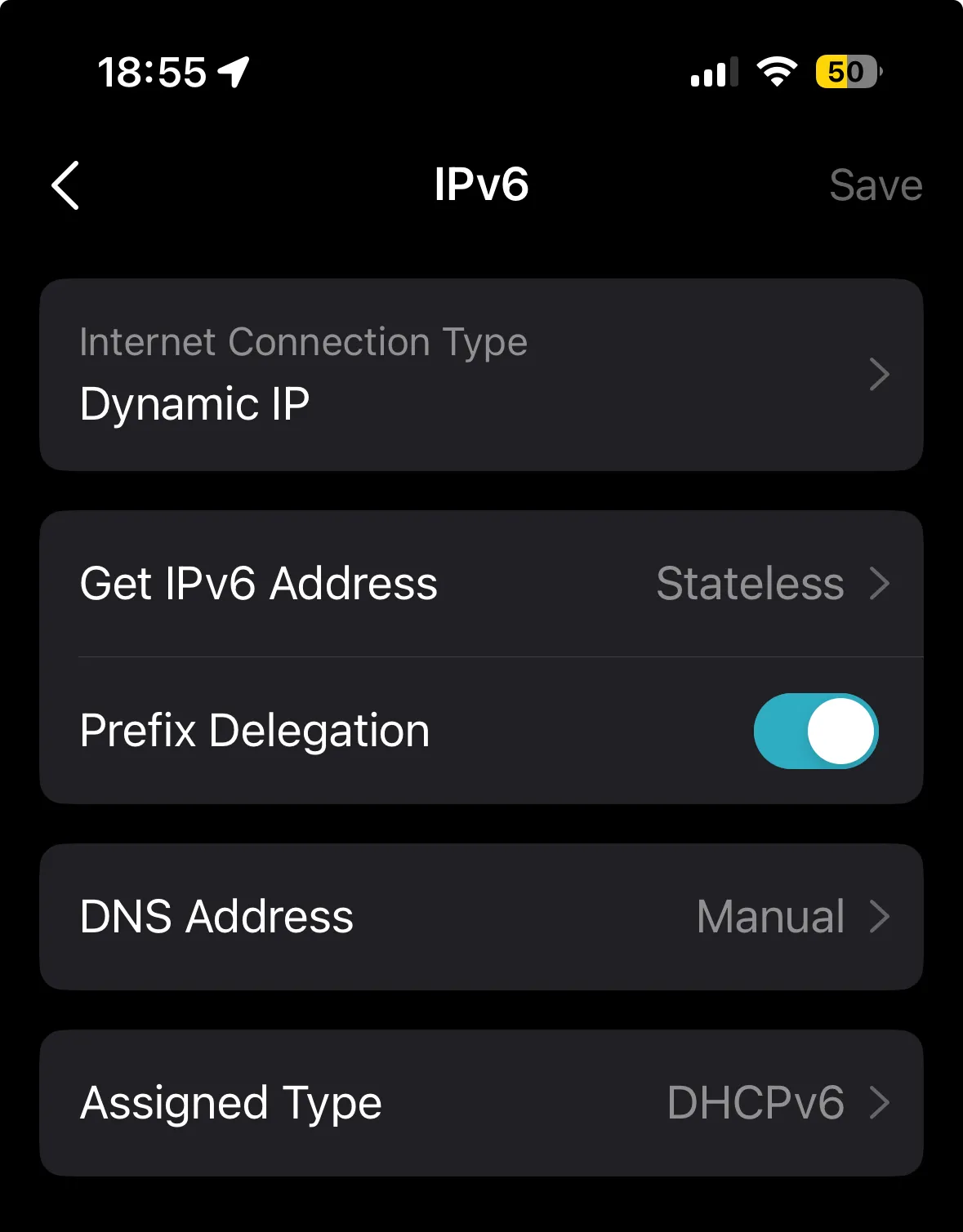
Tap on 'IPv6 Connection' then set 'Get IPv6 Address' to Stateless, enable prefix delegation, and set 'Assigned Type' to DHCPv6.
My DNS is set to manual as we use NextDNS^ to help filter our networks at the network level. I'll get around to blogging about that at some point.
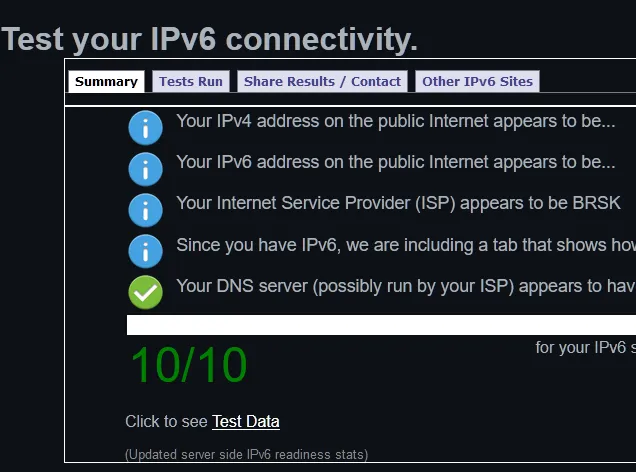
Reboot your Deco router, go get a drink and wait for your router to get an address from Brsk.
If you haven't signed up to BRSK yet, please considering using my link^. We'll both get a £50 amazon voucher if you sign up for a two year contract!