How to make Discord actually display your Xbox Live status
I've been unable to make the Discord / Xbox Live integration work since I got my Xbox earlier in the year. I tried unlinking, re-linking, and nothing worked. I gave up for a while but managed to get it working this week. Here is how to get your discord account to show your Xbox live status.
On the Xbox:
- Unlink Discord in Settings>Account>Linked Social Accounts if you already have it linked.
- Go to Settings>Privacy & Online Safety and ensure your profile settings are set to Adult - Medium.
In your discord settings (on PC):
- Go Settings>Connections.
- Reconnect Xbox Live in here
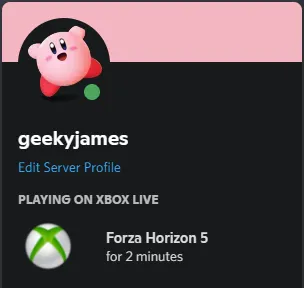
Once this is done, all your friends should be able to see just how long you've been exploring Mexico for.
To respond on your own website, write a post which contains a link to this post - then enter the URl of your page here. Learn more about WebMentions.